
Pinwheel Home vs Tin Can: The Better Family Phone for Kids
- Variety of phone models to choose from
- Part of a broader ecosystem of kid-safe devices
- Manage all devices through Caregiver Portal app: a unified parent app
- More affordable alternative to Tin Can
- And more

As Seen In





A more reliable Tin Can alternative as a home phone for kids with easier parental management

Manage all devices from one place

Caregiver Portal app to easily import & share contacts

Multiple phone models to choose from
Screen-free communication for the smartphone generation.

Parent-approved Contacts Only.
.png?width=100&height=100&name=Icons%20(100%20x%20100).png)
Free Pinwheel Circle Calls to other Pinwheel Homes.

Simple WiFi setup. No phone jacks or cable companies needed.

Personalize with free stickers!

Manage with your other devices in Caregiver Portal.

Emergency calls available on free and paid plans.
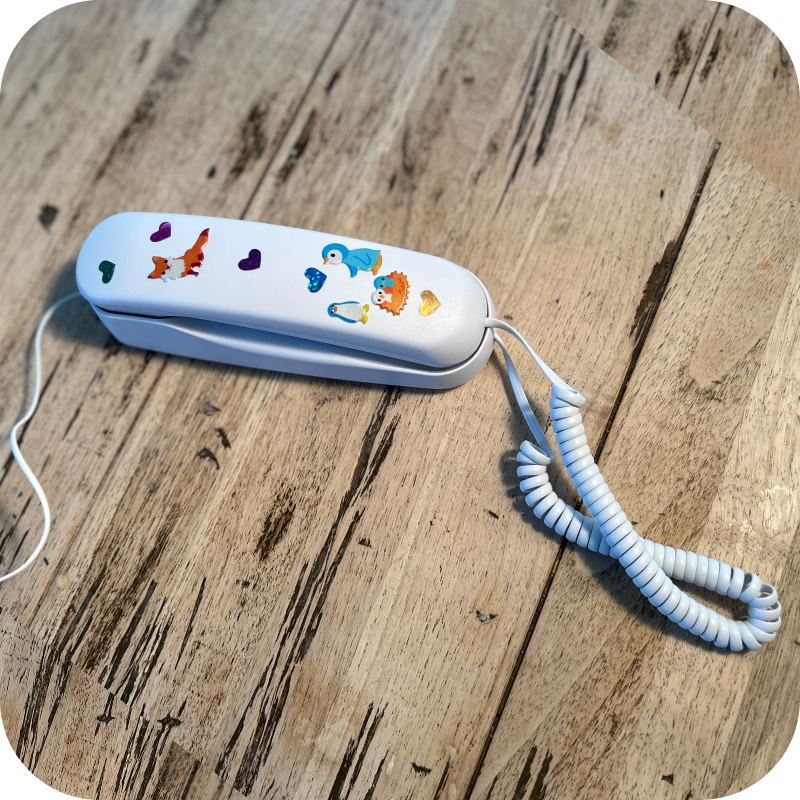
Call friends. Call grandma. Call for pizza...
Calling plans starting at $0.
It's free to call other Pinwheel Homes, and affordable to call anyone. Choose the plan that fits how your family will use Pinwheel Home.

Pinwheel Circle
Call anyone with a Pinwheel Home
FREE
Includes
- Parent-approved contacts
- 911 calling
- Free stickers to customize your phone

Friends & Family
Call anyone with a Pinwheel Home, and up to 5 external numbers
$6.99 /mo
Includes
- Everything in Pinwheel Circle, plus
- Call up to 5 external numbers
- Full 10-digit phone number
- Save 15% with multiple devices

Unlimited
Call anyone with a Pinwheel Home, or any external number.
$9.99 /mo
Includes
- Everything in Pinwheel Circle, plus:
- Call any external number
- Full 10-digit phone number
- Save 15% with multiple devices