Meet the phone for kids that outperforms Troomi
- More than 1,200 popular apps available at home or on the go
- Use any cellular carrier
- No contracts required
More apps available on the go, at a lower cost than Troomi

Use apps anywhere using cellular, or on wifi

No social media or adult apps

Choose your own cellular carrier
Compare Pinwheel vs Troomi
Pinwheel combines peace of mind for you and a sleek, modern phone with cool features for your child.Phones kids love,
managed by parents
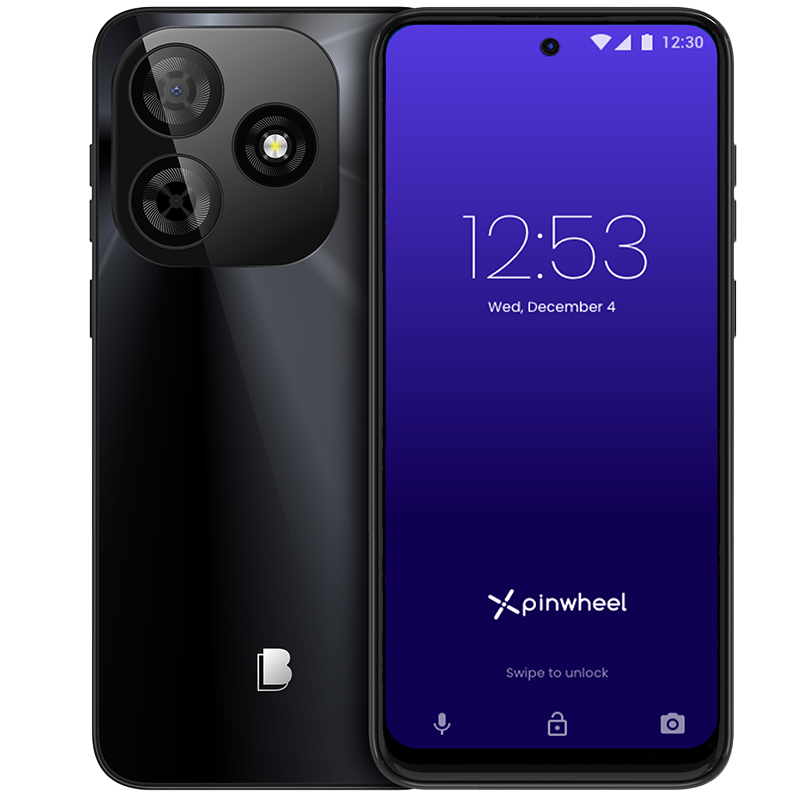
Choose high-quality models with Pinwheel's award-winning parent management system from Samsung, Motorola and Google Pixel and more.
- 6.7” HD+ display
- Dual 50MP cameras
- 128GB Memory; 4GB RAM
- Compatible with T-Mobile and AT&T networks (not Verizon)
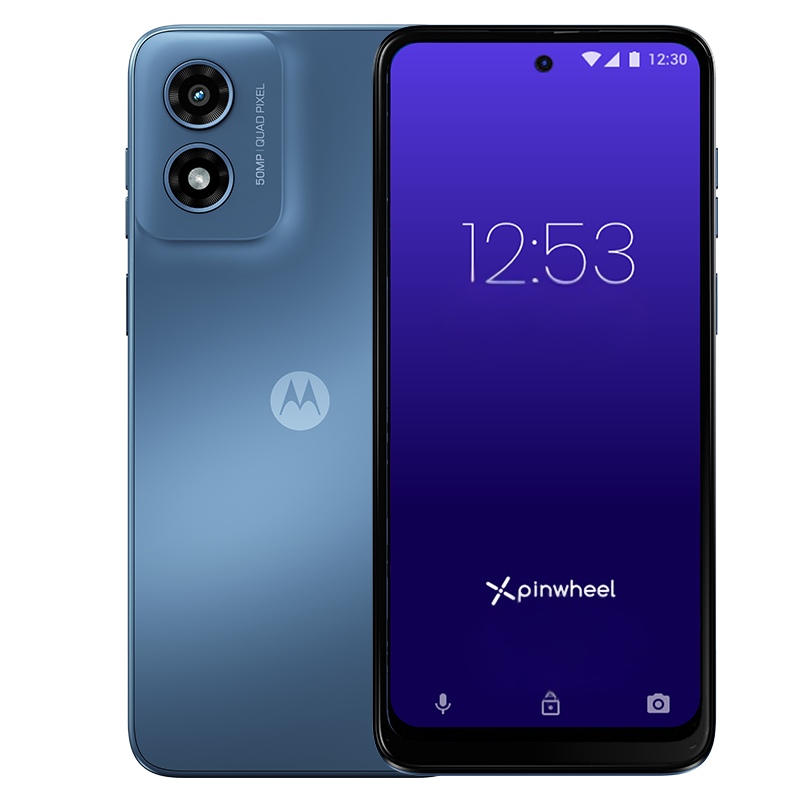
Great starter phone
- 6.5” Immersive HD+ display
- 50MP rear camera with Quad Pixel
- 64GB Memory; 4GM RAM
- Not compatible with Spectrum
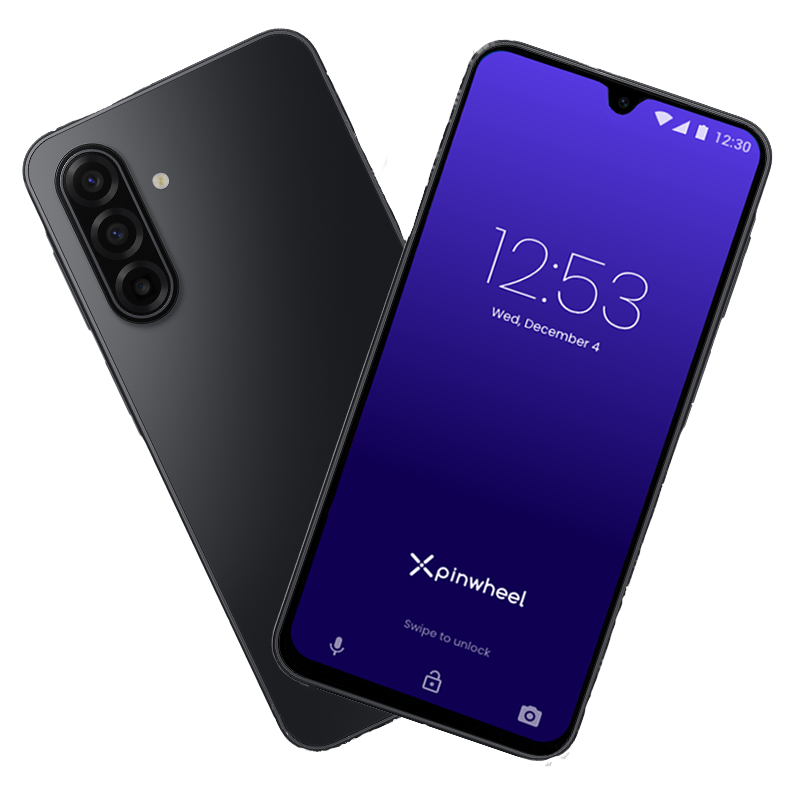
Stylish and affordable
- 6.7” Super AMOLED superfluid display
- 50MP triple lens camera
- 128GM Memory; 4GB RAM
- Compatible with all major carriers, including 5G
Premium finish and 5G capability
- 6.3" Full High Definition OLED smooth scrolling display
- 48MP wide; 13MP ultrawide rear cameras
- 128GB Memory; 8GB RAM
- Compatible with all carriers, including 5G
Exceptional photo quality
Pinwheel Wireless: Extensive coverage. Affordable Plans. No contracts.
Caregiver Portal Only
Choose your own cellular carrier for your Pinwheel phone
$49.99 per 3 months
- Caregiver Portal subscription (Pinwheel parental controls)
- Save 15% with multiple devices
- Your choice of cellular provider (get a plan and SIM card from any major carrier)
Pinwheel Wireless
Get cellular service from Pinwheel Wireless for your Pinwheel phone
$79.99 per 3 months
- Unlimited calls and text messages
- 5 GB high speed data per month (slower speeds after 5GB)
- Caregiver Portal subscription (Pinwheel parental controls)
- Save 15% with multiple devices

Pinwheel Watch
Cellular and parent management for Pinwheel kid's smartwatches
$42.99 per 3 months
- Unlimited calls and text messages
- 2 GB high speed data per month (slower speeds after 2GB)
- Unlimited PinwheelGPT subscription
- Caregiver Portal subscription (Pinwheel parental controls)
- Save 15% with multiple devices
See why thousands of parents are choosing Pinwheel over Troomi phones

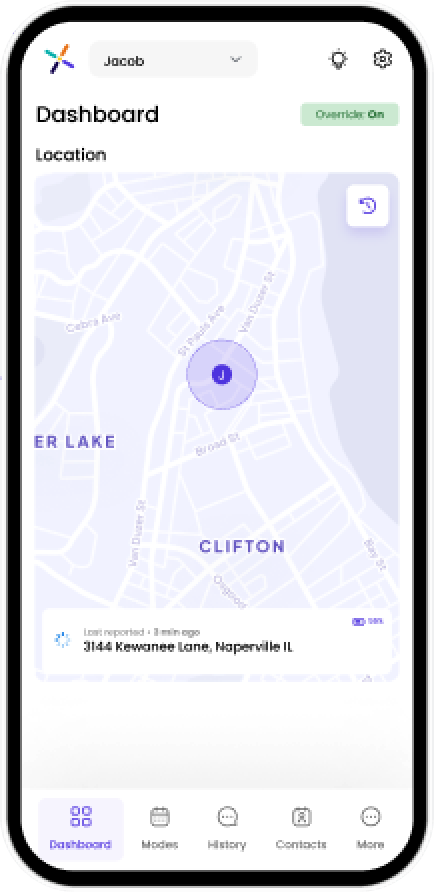
Complete remote access to your child’s phone means complete peace of mind for you

Safelist blocks 100% of strangers and spam
Monitor text messages remotely

See app safety ratings before installing

No social media or adult apps

Set schedules for contacts and apps

Locate your child
More options than Troomi.
No required contracts.
Pinwheel offers starter and premium phones, plus you can choose your own cellular carrier.
Pinwheel also offers starter phones as low as $99, and the premium Google Pixel. Slim is the most popular model, and is compatible with major cellular networks including Verizon.
Includes parent portal subscription, unlimited talk and text, 5GB high speed data with no contract, using a cellular plan from a Pinwheel partner.
Troomi requires you to use their cellular plan. The Troomi plan includes no data since apps can only be used on wifi.
Save more with Pinwheel's annual plan, for a total first year cost of $493.99
We make switching easy!
Pinwheel doesn't require any contracts and you have a 30-day money back guarantee. You can keep your current phone number if you choose to. Just contact our Customer Care team.
Pinwheel vs. Troomi Frequently Asked Questions
What apps are available on Pinwheel that I can't get on Troomi?
Pinwheel's App Library contains more than 1,200 vetted apps with in-depth safety ratings, including popular apps like Duolingo, Google Classroom and Maps and Spotify.
No busy parent has the time or energy to evaluate every app, so Pinwheel's dedicated app team provides easy-to-understand ratings for each app in the library, along with what you need to know before adding an app to your child's phone.
Troomi includes a limited number of apps that require the highest monthly fee plan and only work on WiFi. You can't turn apps on or off based on the time of day, or limit time on a particular app.
How can I see my child's text messages and call history?
Parents and caregivers can remotely view a child's entire text and call history on Pinwheel's Caregiver Portal from their own device. Even if a child deletes a text message, it will still show up on the portal for the parent.
Does Pinwheel allow social media?
While parents can choose to download nearly any app, social media and adult apps are not allowed.
How can I manage who my child can communicate with?
With Pinwheel, nobody can call or text the phone who isn't on the Safelist of approved contacts. Parents can limit the phone to emergency contacts at school and at night, but enable friends, family, coaches, or neighbors during other modes. Once your child is ready, you can give them the ability to manage their own contacts.
What cellular carriers can I use?
Pinwheel is the only phone for kids that allows you to choose your own cellular carrier and plan. Troomi requires your child to get cellular service from Troomi, and doesn't include a data plan.
How can I manage my child's screen time?
For a Pinwheel, caregivers can schedule when their kids can use specific features. Modes like "school mode," "everything mode," and "family time mode" change every app, contact, and routine on the phone to lock or unlock features, contacts and apps depending on the time of day.
The only mode on the Troomi Phone is full access to everything on the phone. You can't turn off calls and texts during school or bedtime, change it to an "emergency contacts only" device, or turn on just the piano practice apps.