4 Stage Four Ages 14 - 18 · Earning Independence

Guardrails down. Judgement up.

All the good habits they’ve practiced get put to use. They set their own boundaries and you check in occasionally, so a full smartphone feels like the next step instead of a leap.

Teen boy at school front portrait

Phone face-down. Nobody told him to.

Eli is 15, and Rachel and Jon don’t worry about the phone anymore. That surprised them. A year ago, they were bracing for a battle. Instead, they got a kid whose habits mostly just... held.


He chooses his own apps, with a light approval step his parents have rarely needed. He puts his phone away at dinner without being asked — mostly. He understands digital footprints, not from a lecture, but from situations that made them real. 


What they built wasn’t just rules. It was a relationship with technology, and with Eli, that grew. They gave him more freedom as he earned it. They made mistakes. So did he.


Rachel once read that the goal of parenting is to work yourself out of a job. She thinks about that when she sees Eli settle in to do homework, phone face-down on the desk. He chose that. Nobody told him to. Which is the whole point.

✔

"The goal of a parent is to work yourself out of a job."

Teen boy studying in kitchen
📚 "What is a Punnett Square?"

The Pinwheel Caregiver Portal app supports appropriate settings regardless of the device you choose.

At the Earning Responsibility stage, teens are making their own plans and managing their own schedule and relationships, sometimes with friends parents do not know. Lower parental involvement gives teens practice in the tech skills they have developed.

Caregiver app · what's on at Stage 4
Child-managed safelist On
Group and image texting On
Google Play Store apps with parent approval On
Occassional text message monitoring On
Screen time schedules Off
Social media and adult apps Off
Use the Caregiver Portal with an appropriate device

Recommended devices for this kids at this stage.

When your child has developed good tech habits, give them practice with making good choices with friends, communication, online information and apps.
Slim Angle centered 450
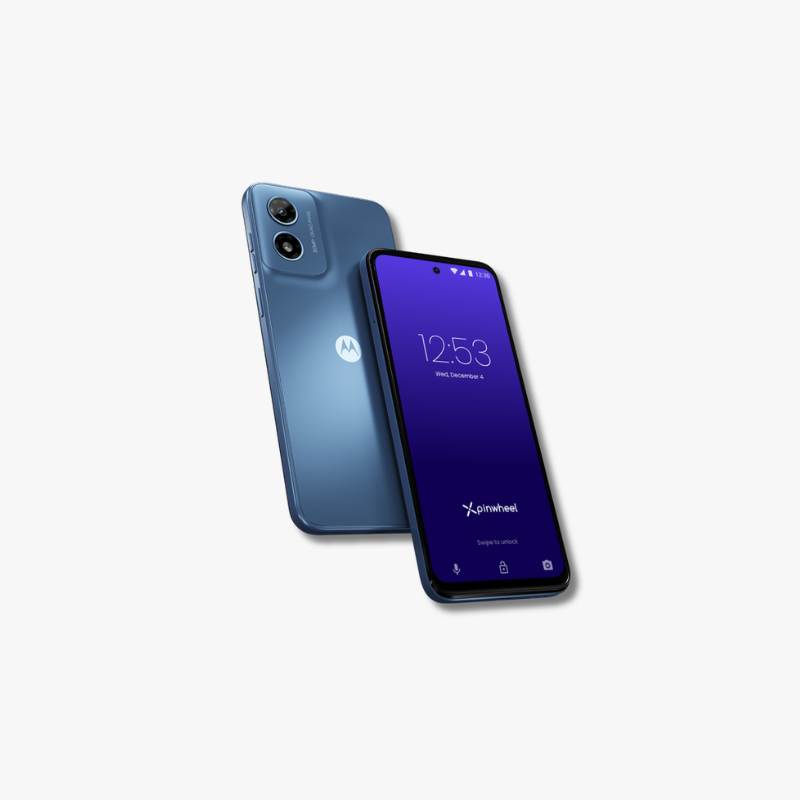
Mid-range phone

Pinwheel Slim

$199 Shop →
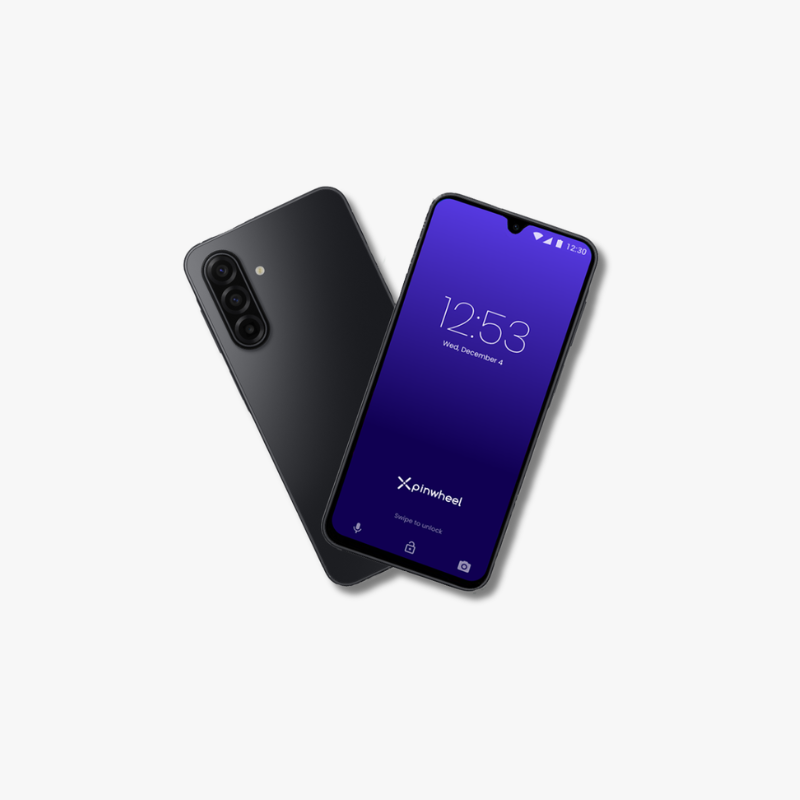
Plus Double Angle centered 450
Recommended
Premium Phone

Pinwheel Plus 6

$299 Shop →

↻ Any Pinwheel mobile device can run a Stage 4 setup — switch devices, keep the configuration.

Signs your kid is ready for Stage 4

You know your child best and they may not fit neatly into a stage. Readiness for Stage 4 assumes they have been using a first phone and they:

  • Uses phone responsibly and appropriately
  • Demonstrates self-regulation with apps and schedules
  • Demonstrates healthy communication and relationship building
  • Understands digital risks and how to avoid them

What Stage 4 builds.

Devices come and go. These are the habits and skills your kid carries into the rest of their life.

Laughing Friends on Campus Comp
Self-regulation

Uses devices at the appropriate to the time, place and amount, not disrupting activities, relationships or sleep.

For your kid
Healthy relationships

Uses devices to connect with friends, rather than becoming isolated and withdrawn.

For your kid
Digital Citizenship

Thinks critically about online content, discerning real from overstated, or outright fake.

For your kid
Online Safety

Avoids risky online behavior, such as connecting with strangers and sharing inappropriate photos.

For your kid
Frequently asked

Questions about Stage 4

Can I turn off text message monitoring?

You can choose to not monitor text messages, but you cannot disable it completely.

How can my child block spam?

When your child is at Stage 4, you can allow them to manage their own contacts, rather than having to approve every one. No one likes spam, and Pinwheel blocks every non-approved number.

What does All Mode mean?

When your child gets to Stage 4 they need to practice regulating their device usage without your setting the schedule. So you can put the phone in All Mode (all apps and contacts available) all day. If they struggle with this much less structure, you can always go back to using the schedules feature as they learn.

Can I turn off GPS location?

Similar to text message monitoring you cannot completely disable GPS location.

Can I get a web browser for my child's Pinwheel?

When you feel you child is ready for internet access on their phone you can download your choice of web browser from the Google Play Store.